Build it before you plug in.
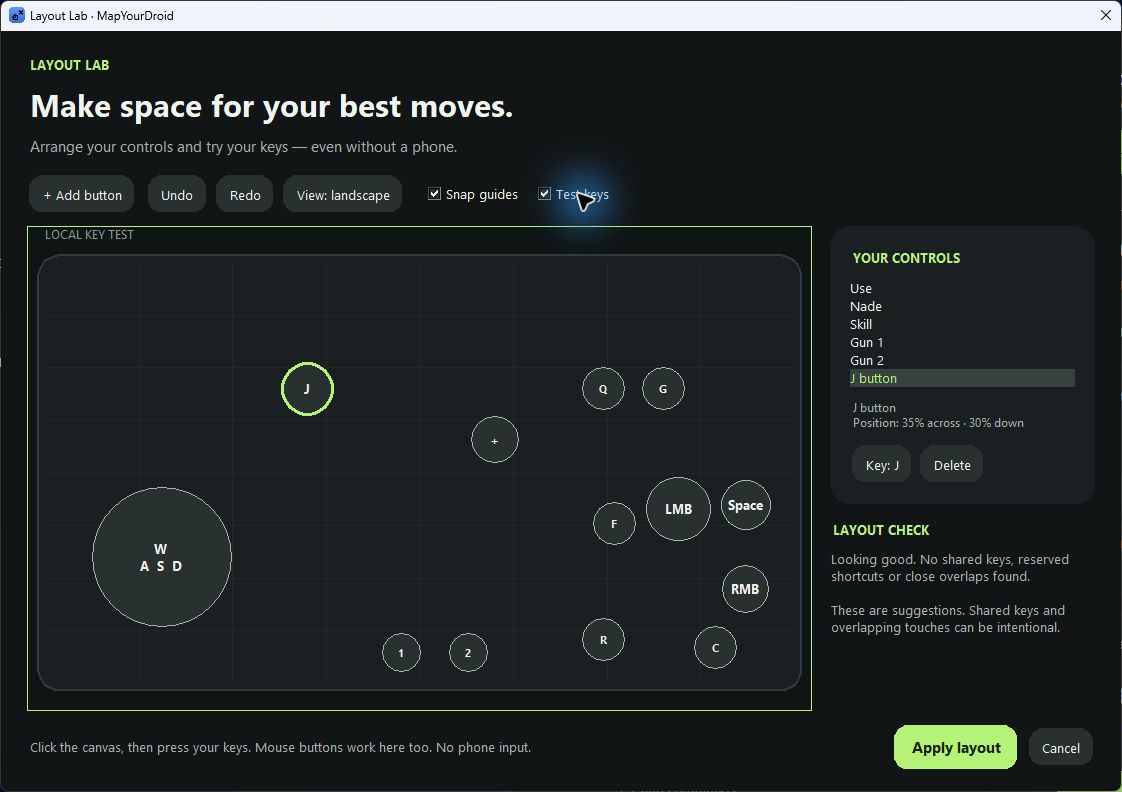
Open Layout Lab to place buttons, bind keys and try your layout on a practice canvas. Snap guides keep everything aligned. No phone needed.
 MapYourDroid.
Your phone runs the game.
Your PC takes control.
Bring your keyboard, mouse or controller to the games on your Android phone. Same phone. Same progress. A whole new way to play.
No card needed. Your 3 days start when you activate.
Windows 10 / 11 · Android 5+ · No root required
Already have a licence key? Download the app
02 / VIRTUAL DISPLAY
A little more room for your Android.
Open an Android app on a separate display on your PC, while your phone or tablet stays free to use. Keep it inside MapYourDroid or pop it out beside your other windows.
See the screen optionsUSB Plug in for a steady connection.
WI-FI Lose the cable after the initial USB setup.
Android 10+ · Windows 10 / 11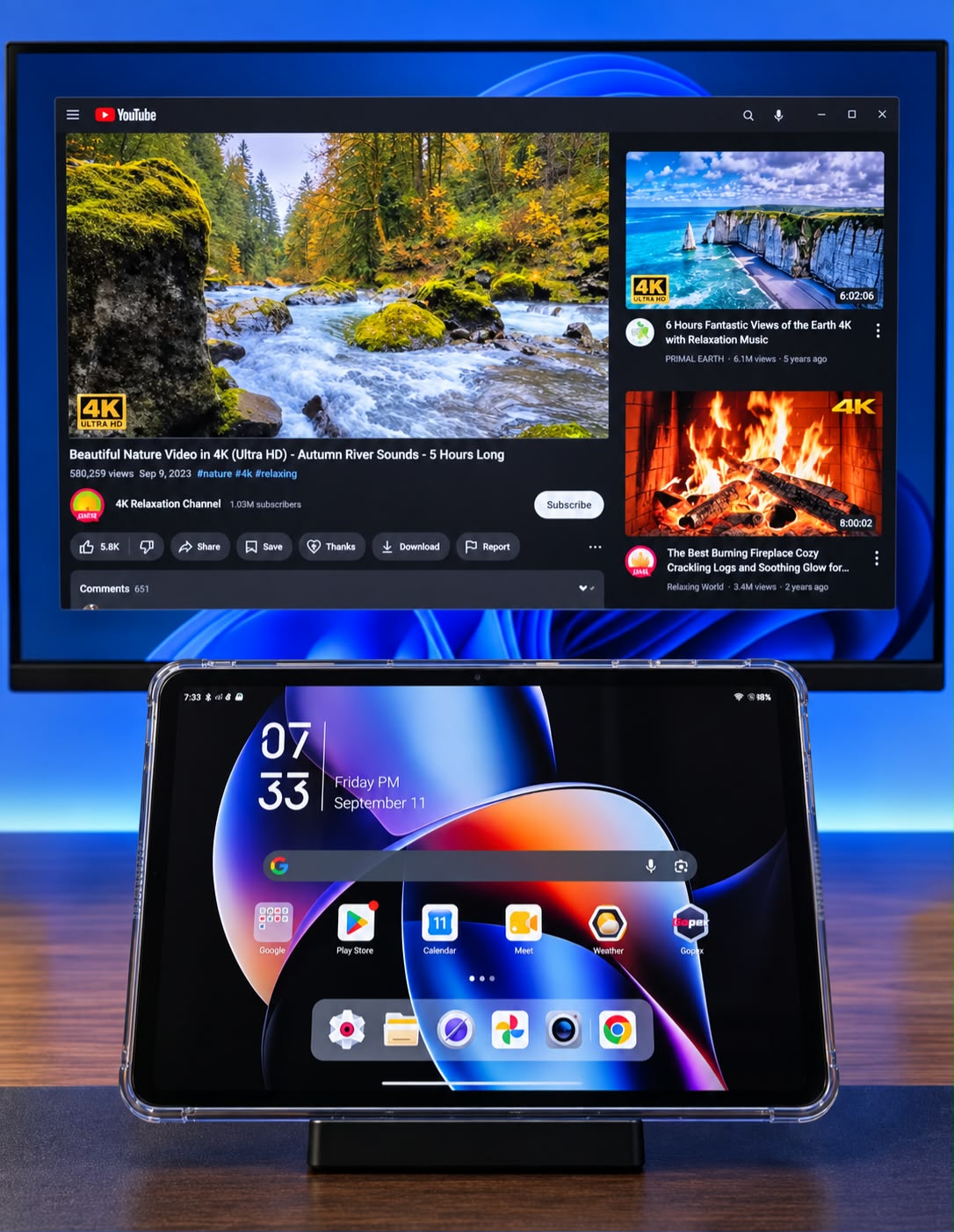
EVERYDAY MULTITASKING
Give a video or another supported Android app its own window on your PC. Your device’s main screen stays available for browsing, messages and everything in between.
Shown: YouTube on the virtual display, the tablet on its home screen.
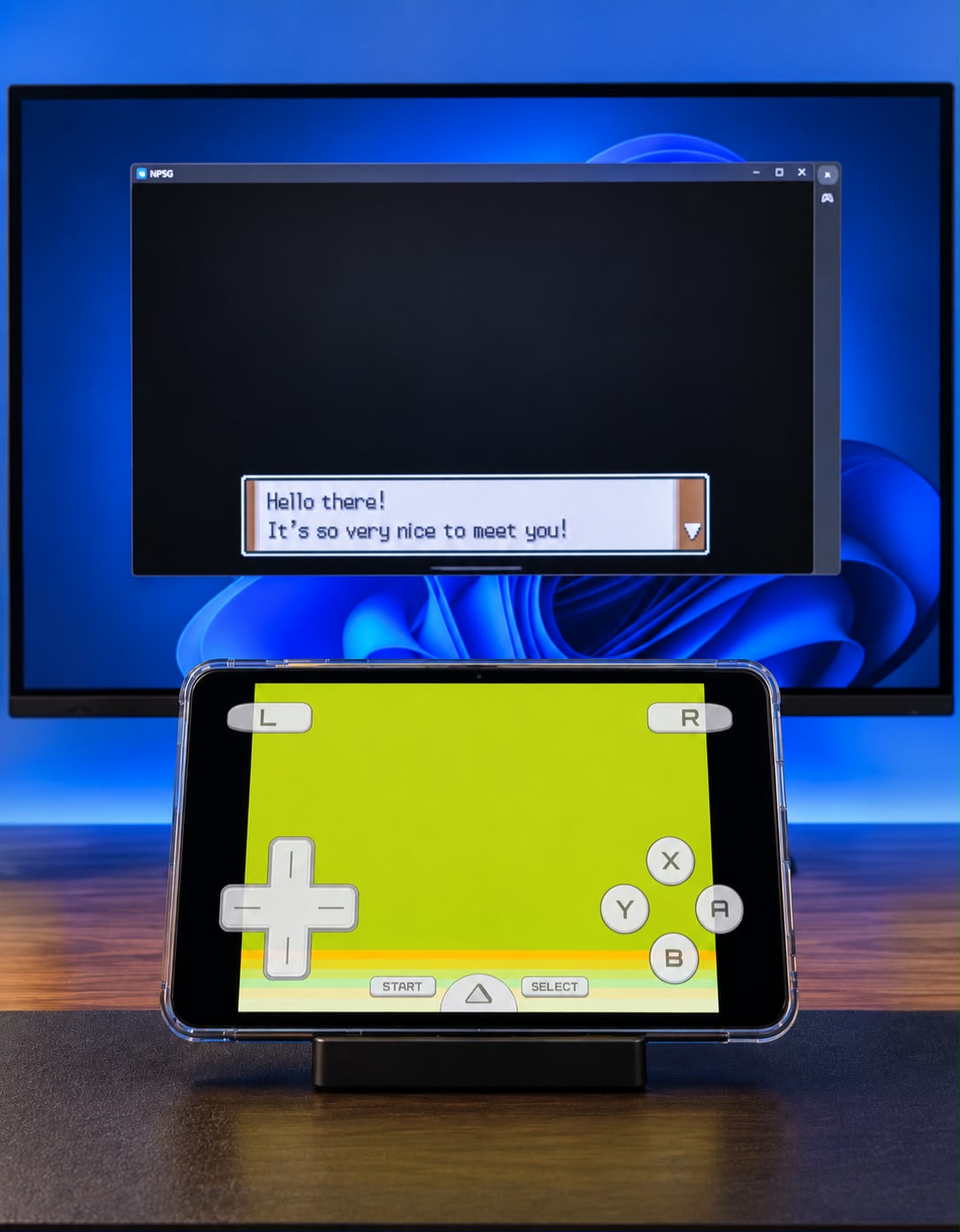
DRASTIC / TWO-SCREEN GAMING
Give DraStic’s top screen a bigger home while the bottom screen and touch controls stay on your tablet. The game still runs on Android; MapYourDroid provides the second display.
Follow the DraStic setup in the app’s Guide. Save and exit your game before disconnecting.
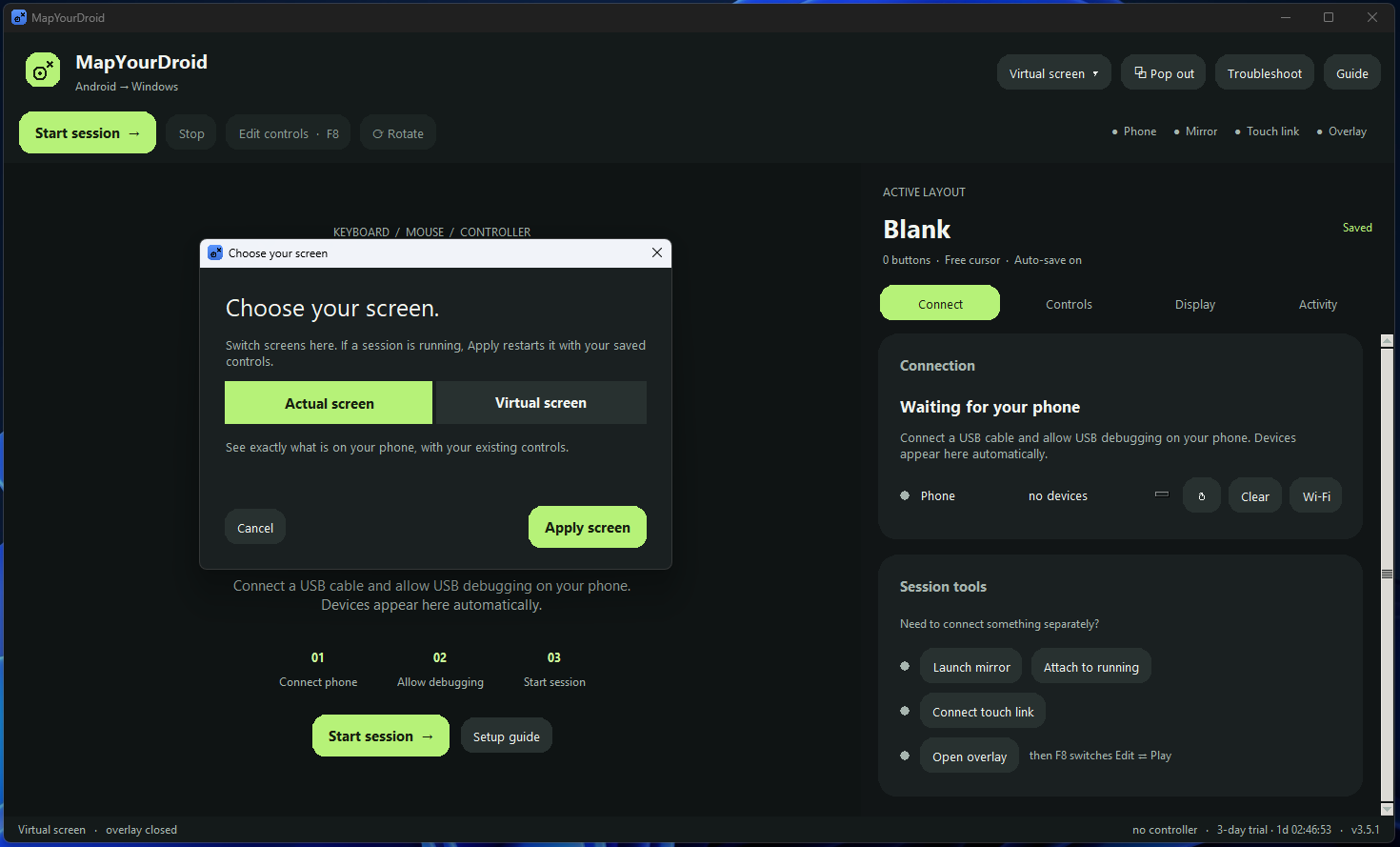
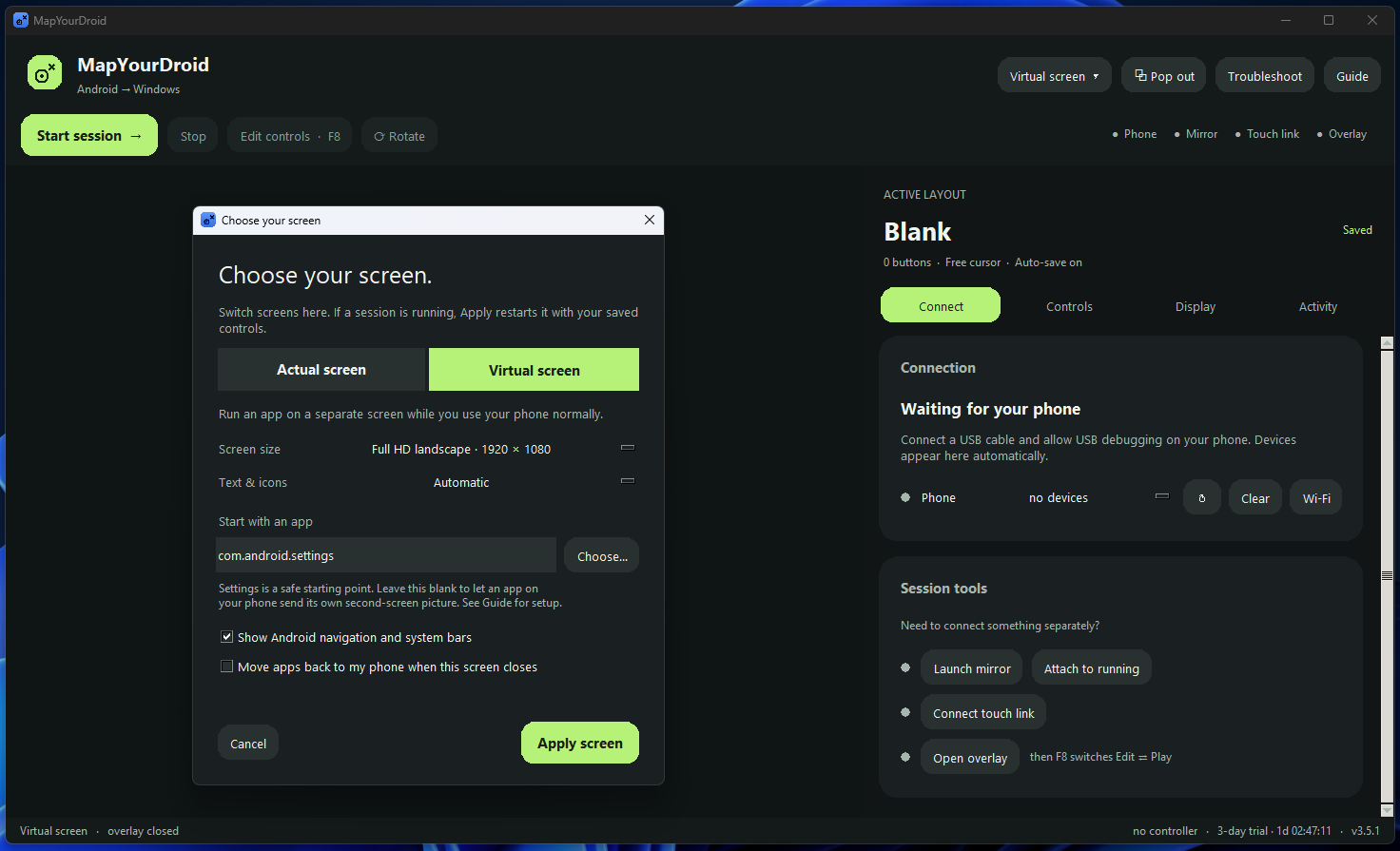
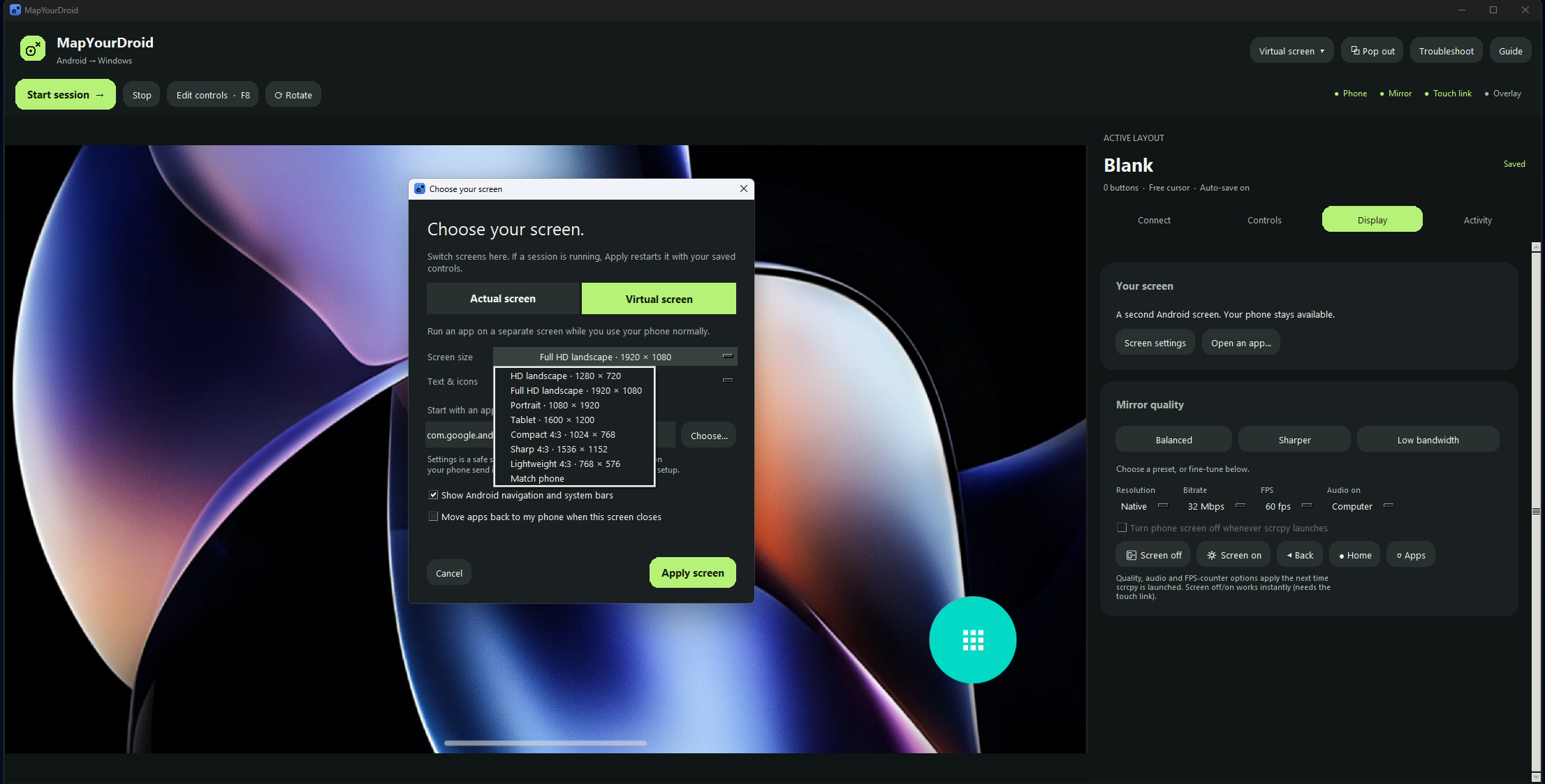
Choose Actual screen to mirror your device, or Virtual screen to create a separate Android display. Set its size, adjust text and icons, and choose an app to open with it.
Virtual display needs Android 10 or later. Wi-Fi uses the same local network; performance depends on your connection. App and device support varies. Two-screen gaming needs an emulator with external-display support, such as DraStic.
03 / MAKE IT YOURS
Start with a game template or a blank canvas. Place your controls exactly where you want them, then make the setup your own.
See how to get startedOpen Layout Lab to place buttons, bind keys and try your layout on a practice canvas. Snap guides keep everything aligned. No phone needed.
Hold your chosen key for a slower aim speed, then release it to turn freely. Precision aim works with your mouse or controller stick and keeps your normal button action.
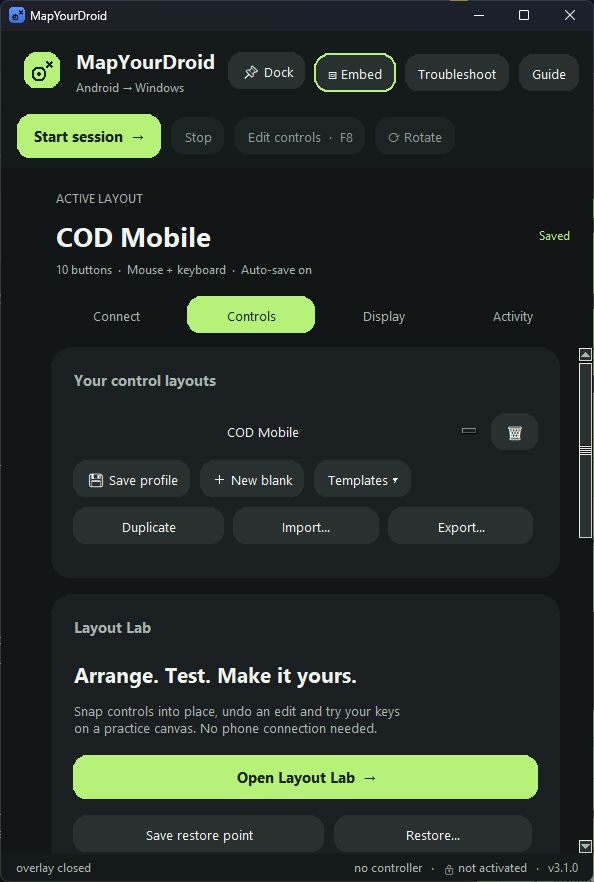
Undo and redo changes in Layout Lab. Save named restore points, or return to the automatic backup made before you apply a new layout.
Use a keyboard and mouse, or connect an XInput controller for analog movement and stick aiming. Keep a separate profile for every game, ready to share.
LAYOUT LAB / INCLUDED IN YOUR TRIAL
Add a button. Try a new key. Light up your mappings as you press them. Layout Lab gives your next setup a place to take shape.
SMALL ADJUSTMENTS. YOUR SETUP.
Comfort is in the details. Keep the controls you need close, and get everything feeling right before your next session.
04 / FROM PHONE TO PLAY
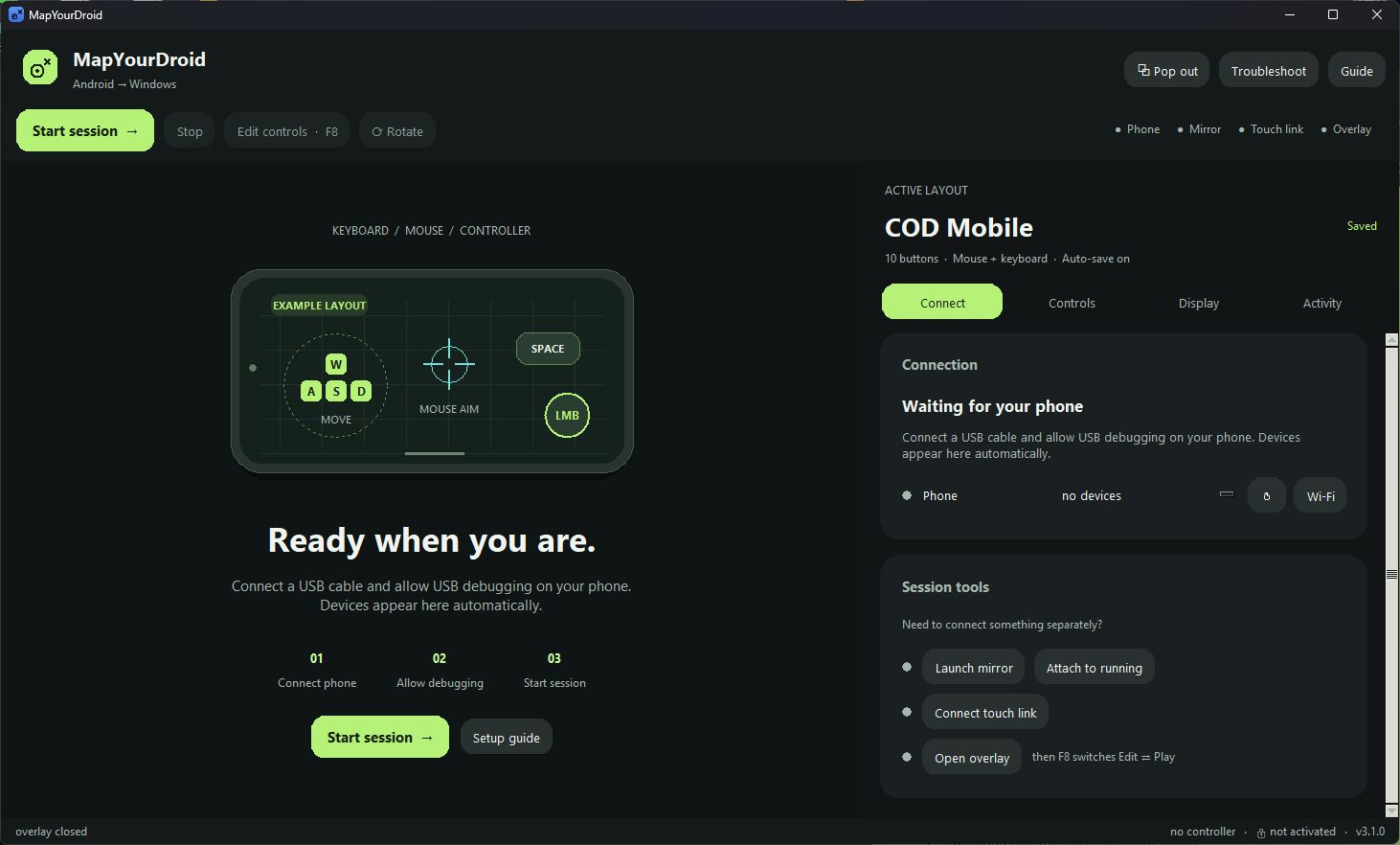
A real phone, a USB cable, and your Windows PC. The app walks you through the connection.
Use a USB cable that supports data. Turn on USB debugging in your phone’s Developer options and allow your PC when prompted.
Select your phone and hit Start session. MapYourDroid opens the mirror and connects the touch link and controls overlay.
Open a game on your phone. Pick a template or place your own controls on the display. Press F8 to switch into play mode.
Prefer fewer cables? Wi-Fi is included, including during your 3-day trial, after the initial USB connection.
A$10once.
Full app + licence. Free future updates.
One payment. Secure checkout and licence delivery by Lemon Squeezy.
FOR KEY HOLDERS
Been sent a free licence or a timed trial key? Get the full app here, then enter the key you were given.
Open the app, choose Enter key and paste your licence. Timed keys start counting down when first activated.
Free download · Your existing key is required.
Choose License Trial at checkout.
3 days. Every feature. No card required. Download the Trial option and choose Activate my 3-day trial in the app. Your 72 hours run continuously from activation, even while the app is closed. One trial per computer; downloading or reinstalling does not reset it. Internet is required at launch and periodically during the trial. A full licence is required when it ends. Your layouts stay saved.
A Windows 10 or 11 PC, an Android phone running Android 5 or later, and a USB data cable. Enable USB debugging and approve your computer on the phone. Virtual display requires Android 10 or later. Some manufacturers require an additional USB debugging security setting for touch control.
No. The game runs on your own phone. MapYourDroid mirrors its screen to your PC and sends your mapped inputs back to the phone, so you keep using your existing apps, account and progress.
No root access or Play Store installation is needed. MapYourDroid uses Android debugging and the bundled scrcpy components to establish the connection.
Yes, including during your 3-day trial. Connect over USB first, then use the app’s Wi-Fi connection option with your phone and PC on the same network. Connection quality depends on your network; USB is a useful starting point.
XInput controllers, including compatible Xbox-style controllers, are supported. Connect the controller to Windows, then use the app’s controller test and mapping controls to set it up.
The trial includes every feature for 72 hours from the moment you activate it in the app. The countdown continues while the app is closed. When it ends, mirroring and mapped controls stop until you enter a full licence. Your profiles stay saved, ready to use after upgrading.
No. Activation records a hashed computer identifier and the trial’s start and end times on our activation service. Downloading again, reinstalling or removing local trial files returns the same expiry. Internet access is required at launch and periodically during the trial. We do not collect your computer name, files or phone data for activation.
Use Download with your key and select License Trial at checkout. This downloads the full app for use with the licence you were sent. After installing, choose Enter key in the app and paste it. A timed key’s countdown begins on first activation and continues while the app is closed. At expiry, your layouts stay saved and the app asks you to purchase a full licence.
Compatibility varies by game and phone. Some games restrict external input or screen capture. Check the game’s rules and use the free trial to check your own setup before buying.
When you activate, our online activation service saves a one-way hashed computer identifier and your trial’s start and expiry times. The app checks that record securely online to show your remaining time. Your 72 hours continue while the app is closed, and reinstalling does not restart them.
The trial check does not upload your personal files, screen content, messages or gameplay. It uses the limited activation record above and short-lived hashed connection counters to prevent repeat trials and abuse. Any checkout details are handled separately by Lemon Squeezy.